
Operational playbooks
HandBrake guides for troubleshooting, stability, and predictable outputs
Use this page as a practical runbook. Each section follows a common triage order: sources first, then filters, then performance, then policy level warnings.
Sources that scan but fail to encode
Symptoms
Preview looks fine in a player, but HandBrake errors early, produces broken frames, or outputs silent audio.
Step by step
- Confirm the file is not DRM protected for workflows HandBrake cannot lawfully ingest.
- Check whether the source is variable frame rate while your preset assumes constant frame rate.
- Validate which audio track is actually the intended language track.
- Try a short encode window with a conservative preset to isolate container issues.
Best practice
Keep a “known good” ten second sample for training encoders. It removes debates about whether the machine or the file is at fault.
Filters that look “almost right” until playback
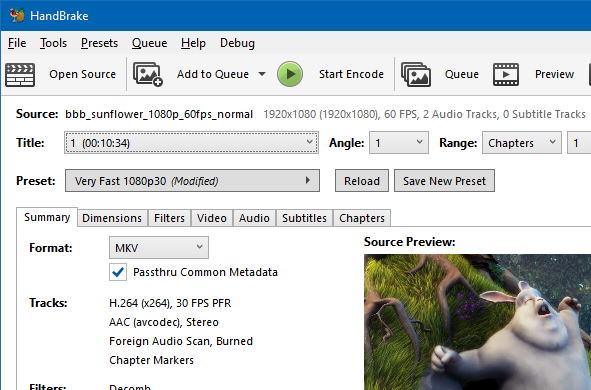
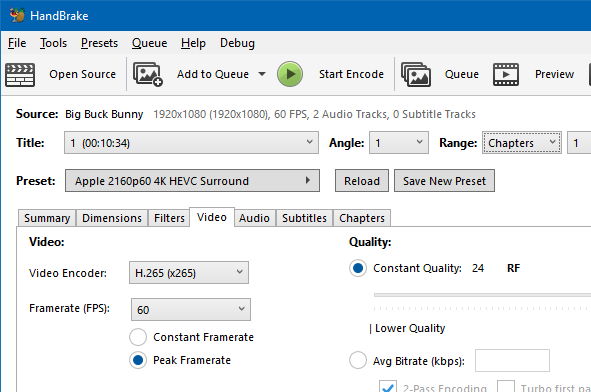
Scaling and cropping mistakes are subtle. A few pixels of black border can waste bitrate. Aggressive sharpening can create ringing that compresses poorly.
Step by step
- Start from automatic crop suggestions, then visually verify edges on high motion frames.
- Decide whether deinterlace or detelecine is required before tuning encoder quality.
- Compare PAR handling against your delivery target to avoid unexpected aspect ratios.
Best practice
Document filter choices per ingest class: screen recordings, broadcast captures, and phone media rarely share the same needs.
When encode performance is inconsistent across machines
HandBrake can be CPU intensive. Thermal limits, background services, and simultaneous GPU workloads all change throughput.
Step by step
- Close unrelated high CPU apps and observe encode FPS recovery.
- Reduce simultaneous queue concurrency on laptops.
- Compare software encoder settings versus hardware encoder settings for the same visual target.
Best practice
Treat performance tuning as a capacity plan: measure average FPS for a standard job and record it next to driver versions.
Queue stalls and confusing batch failures
Queues fail for mundane reasons: output path permissions, disk full conditions, illegal characters in output names, or a single bad title in a multi job list.
Step by step
- Pause the queue and finish the currently running job cleanly when possible.
- Reproduce the failing job alone with logging visible.
- Validate output directory ACLs for the user account running the encode.
- Split mixed sources into separate queues to isolate container specific bugs.
Antivirus warnings explanation
A warning is a signal to investigate, not a moral judgment. The correct response is verification: hashes, source policy, and escalation to security with evidence.
Step by step
- Identify the exact file path being flagged and whether it matches your approved mirror path.
- Compute SHA256 and compare to the approved digest record for that version.
- If mismatch, stop and replace the file. If match, open a vendor false positive ticket if your policy allows.
- Record the resolution in your software catalog so the next user is not blocked again.
Legal and ethics framing lives on Trust and deeper questions on FAQ.
If you are ready to pin a version, verify it first
Use the download page checklist, then distribute internally with hashes attached.
